
Video Output
Ready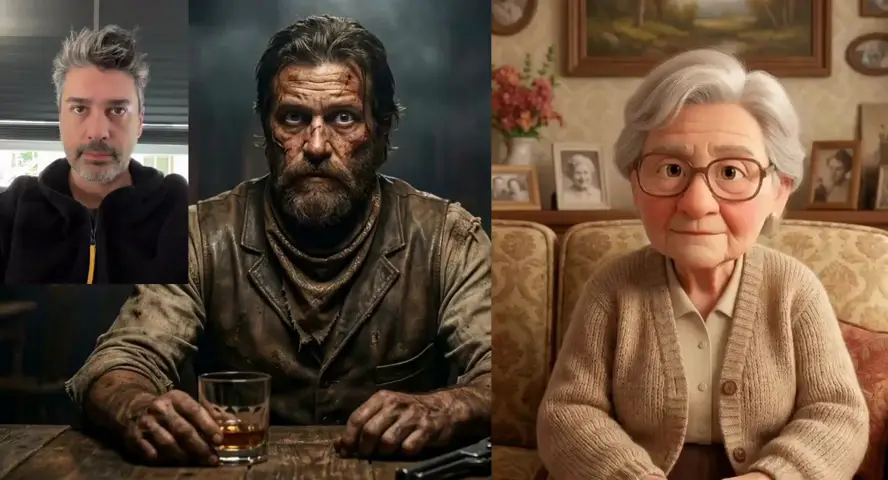
Reference to Video AI Generator
Upload reference images and videos, then generate new clips that match style, character, and brand cues. Build consistent AI video sequences with Motion Control Pro.
Everything You Need in Reference to Video
Powerful reference to video features for consistent characters, style, and brand output.
Multi-Reference Input
Upload reference images and video clips so the reference to video engine understands style, identity, motion, and scene direction.
Character & Style Consistency
Keep characters, products, and visual style stable across clips with reference to video generation built for brand continuity.
Motion From Reference Clips
Use reference video to guide pacing, camera feel, and action while the reference to video tool builds a new scene around your brief.
Prompt-Guided Direction
Combine references with a written prompt to control setting, mood, dialogue, and camera moves in reference to video output.
Flexible Length & Format
Generate reference to video clips in multiple durations, resolutions, and aspect ratios for ads, social, and campaign use.
Download & Iterate
Preview each reference to video result, refine inputs, and download publish-ready files in full resolution.
How Reference to Video Works
Three simple steps from reference assets to consistent AI video.
Upload Reference Assets
Add reference images and video clips that show the look, character, product, or motion you want the reference to video output to follow.
Write Your Scene Prompt
Describe the new scene, action, camera move, and mood. Clear prompts help reference to video combine your assets with the right direction.
Generate & Download
Your clip renders in minutes. Review consistency, iterate on references or prompts, and download the finished reference to video file.
Built for Consistent Video Production
From brand campaigns to character series, reference to video fits every workflow that needs visual continuity.
Brand Campaigns
Keep colors, products, and visual tone aligned across ad variants with reference to video generation.
Character Series
Maintain the same character look across episodes, hooks, and social clips using reference to video inputs.
Product Launches
Use product reference shots to build consistent launch videos without reshooting every scene.
Style-Matched Social Content
Turn mood boards and sample clips into new reference to video posts that feel like one cohesive series.
Client Previsualization
Show how a campaign could look in motion by generating reference to video tests from approved stills and sample footage.
Multi-Scene Storytelling
Build connected scenes that share the same visual language through reference to video workflows.
Tips for Better Reference to Video Results
Reference choices and prompt habits that improve consistency and control.
Use Clear Reference Images
Pick reference assets with visible subjects, clean lighting, and minimal clutter so reference to video can read identity and style accurately.
Match References to the Goal
Use character refs for identity, product refs for packaging, and motion refs for pacing. Strong reference to video starts with the right asset type.
Write What Should Change
Tell the generator what is new in the scene while references handle what should stay the same in your reference to video clip.
Keep Prompts Focused
One main action and setting per generation works better than trying to combine too many ideas in a single reference to video request.
Review Identity Early
Check faces, logos, product shape, and color palette in the first output before generating more reference to video variations.
Iterate References, Not Just Prompts
If consistency drifts, swap in clearer reference images or shorter reference clips before rewriting the whole prompt.
Who Is Reference to Video For?
Teams and creators who need visual continuity across multiple AI video clips.
Brand & Marketing Teams
Produce on-brand video variants faster with reference to video instead of reshooting every campaign angle.
Content Creators
Keep a recurring character or visual style consistent across posts using reference to video generation.
E-commerce Operators
Turn product reference photos into consistent motion assets for listings, ads, and launch pages.
Agencies & Studios
Test campaign directions and deliver reference to video concepts to clients before full production.
Filmmakers & Directors
Explore scene continuity, character blocking, and visual tone with reference to video previsualization.
Social Media Managers
Scale one approved look into many reference to video clips sized for different platforms.
Why Choose Motion Control Pro Reference to Video?
Built for consistency, control, and faster campaign iteration.
References Plus Prompts
Combine visual anchors with written direction so reference to video output follows both identity and scene intent.
Built for Brand Continuity
Motion Control Pro reference to video helps teams keep characters, products, and style cues aligned across clips.
Multiple Inputs, One Workflow
Upload images and video references in the same tool without switching between separate apps.
Pay Only for What You Use
Credit-based pricing means you only pay for the reference to video clips you generate — no monthly minimums.
Reference to Video FAQ
Clear answers for creating consistent AI video from reference assets.
What is reference to video?
Reference to video is an AI workflow that uses uploaded images and video clips as visual guides. Motion Control Pro combines those references with your prompt to generate new clips that match style, identity, and motion cues.
What references should I upload?
Use character photos for identity, product shots for packaging, and short video clips for motion or pacing. Clear, well-lit reference to video inputs produce the most consistent results.
How many references can I use?
You can upload multiple reference images and video clips in one generation. More relevant references usually help the reference to video tool understand the look and motion you want.
Do I still need a prompt?
Yes. References show what should stay consistent, while your prompt describes the new scene, action, camera move, and mood for the reference to video output.
Can reference to video keep characters consistent?
Yes. Character reference images are one of the main use cases. Review the first output to confirm face, outfit, and style details before generating more reference to video clips.
How is this different from image to video?
Image to video animates one still photo. Reference to video uses multiple images and clips to guide style, identity, and motion across a new scene.
Can I use reference to video clips commercially?
Paid Motion Control Pro plans include commercial usage rights for your reference to video results. Review final clips for brand accuracy and platform rules before publishing.
How much does reference to video cost?
Motion Control Pro uses credit-based pricing, so you only pay for the reference to video clips you generate. New accounts get free credits to try the tool before upgrading.
Simple Motion Control Pricing
Choose the Motion Control Pro plan that fits your work. Start free, then upgrade for more credits and 1080p Motion Control AI video with Kling 3.0 Motion Control. No hidden fees.
Subscriptions renew automatically until canceled. You can manage or cancel anytime from Billing. By subscribing, you agree to our Terms of Service and Privacy Policy.