• LogoMotion Control Pro
  • Home
  • Motion Control
    Hot
    Hot
  • My Creations
  • Get More Credits
    50% OFF
    50%
AI Tools
  • Image
  • Text to Image
  • Image Edit
  • Video
  • Text to Video
  • Image to Video
  • Reference to Video
  • Video Extend
✨Limited Time · 50% OFF Annual Ends in50% OFFends in00h : 00m : 00s00:00:00
  • Home
  • My Creations
  • Pricing

Motion Control AITransfer Real Motion to Any Photo

Bring any photo to life with Motion Control AI and Kling Motion Control.

Motion Control Pro brings your photos to life with Motion Control AI and Kling 3.0 Motion Control. Upload a photo and a reference video, and Kling Motion Control transfers motion, dance moves, and expressions to your character in seconds — no motion capture gear needed.

Motion Control Pro logoTry NowTry Motion Control AI NowHotView Pricing

Select video

Upload video first, then use the reference image selector below if required.

Minimum charge: 3 seconds

Maximum duration: 30 seconds (or 10 seconds if character_orientation = "image")

Minimum image size: 512×512 px. Use a clear full-body or upper-body subject with visible limbs.

Prompt

If you're not satisfied, you can generate again or enter your own prompt.

Character Orientation

When character_orientation is "video": maximum 30 seconds. When character_orientation is "image": maximum 10 seconds.

Generation keeps running if you close this page. View results in .

Video Output

Ready
1080p

Motion Control AI & Kling Motion Control Gallery

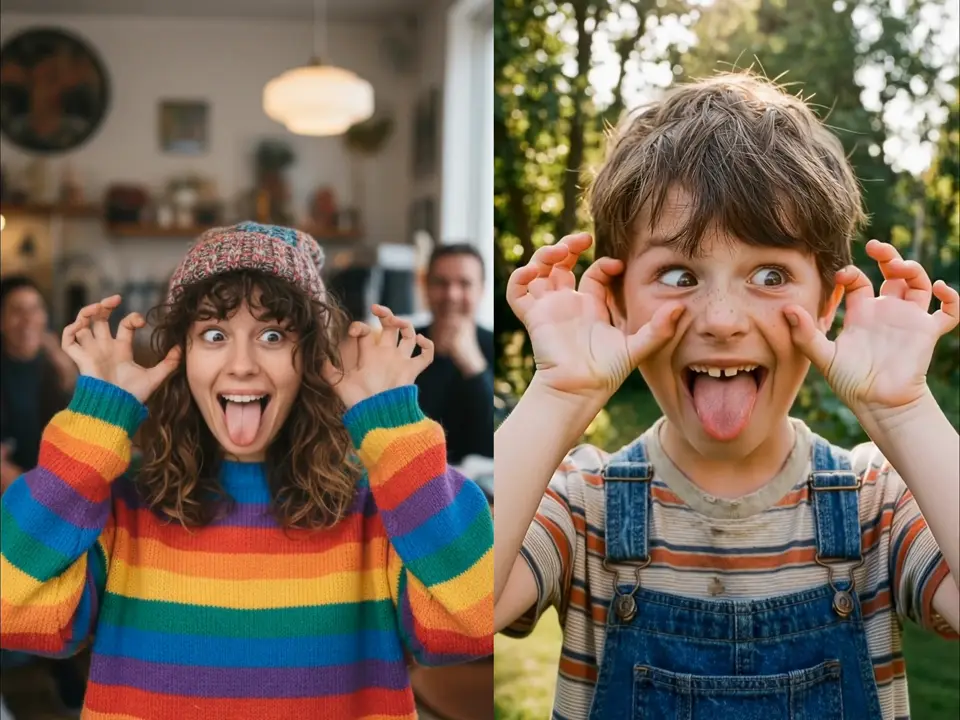
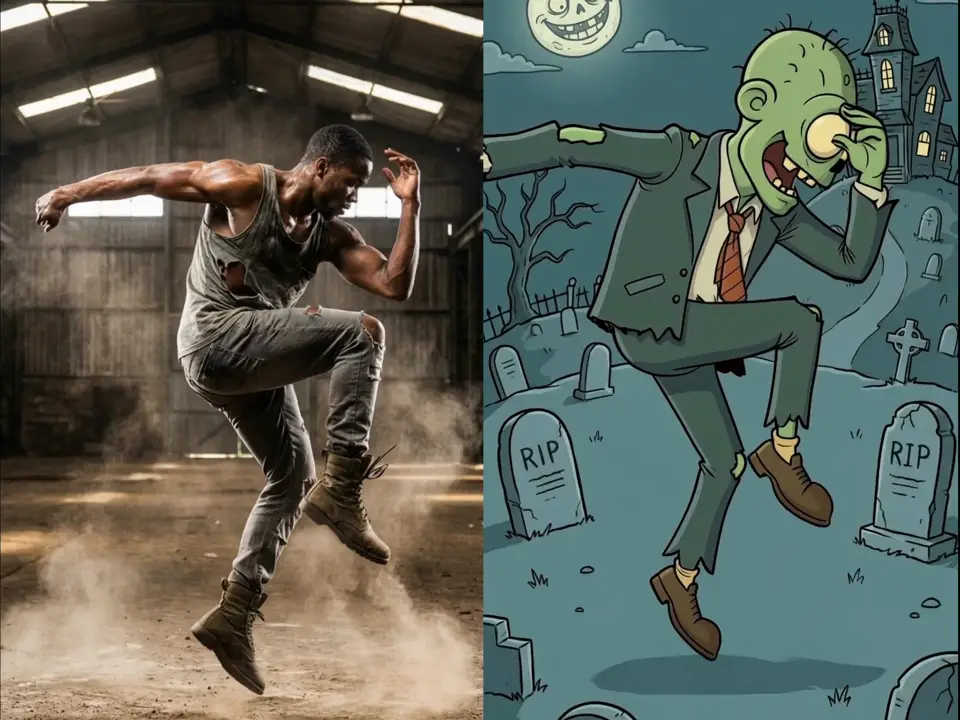
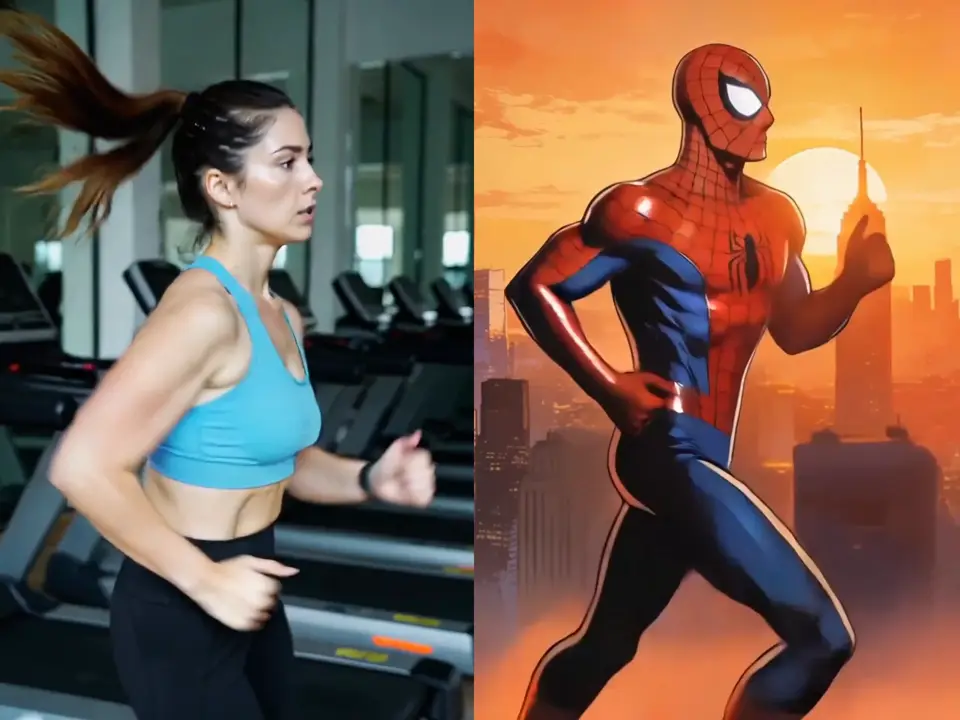
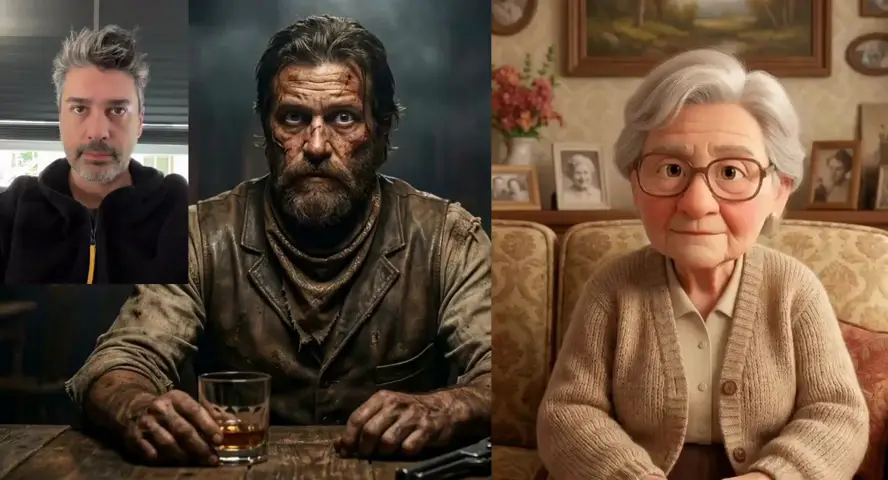
Explore Motion Control AI and Kling Motion Control animations. See how Motion Control Pro brings static photos to life with Kling 3.0 Motion Control, transferring motion, expressions, and dance from reference videos.

Motion Control Pro

Motion Control AI & Kling Motion Control Features

Upload a character and a driving video. Motion Control AI and Kling 3.0 Motion Control transfer pose, rhythm, and action while Motion Control Pro keeps your subject's identity — ready for social clips, campaigns, mascots, and storytelling.

Core Workflow

Transfer real motion to any character.

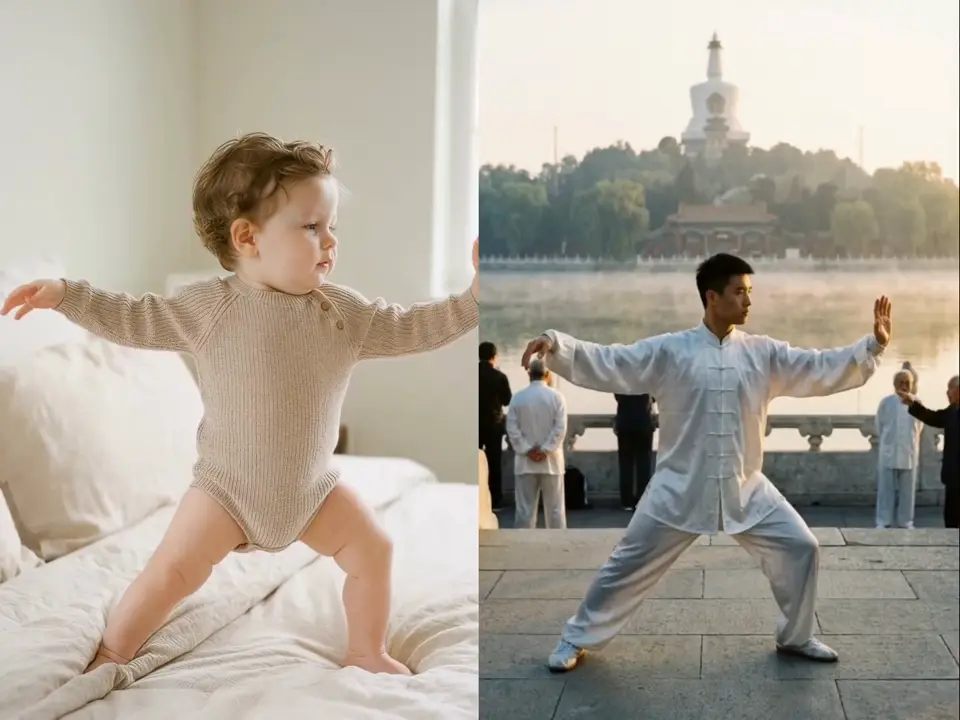
Upload a character image and a driving video. Motion Control AI and Kling 3.0 Motion Control apply body movement, gesture timing, and action rhythm while preserving your subject's visual identity.

Pose & rhythm transferIdentity preserved
Kling 2.6 Standard

Choose the orientation that fits your shot.

Follow your character image framing or match the driving video's camera. Motion Control AI gives you image mode for portrait-led shots and video mode for longer motion references up to 30 seconds.

Image orientationVideo orientation · 30s
Creative Control

Direct mood, camera, and expression.

Add optional text direction for atmosphere, facial expression, lens language, and scene style. Motion Control AI refines the performance without replacing your motion reference.

Mood & expressionCamera language
Kling 3.0 Standard

Sharper output. Faster turnaround.

Generate production-ready clips in minutes with 1080p Motion Control AI and Kling 3.0 Motion Control output, real-person support, and smoother motion fidelity — built for teams that need consistent character video at scale.

1080p outputReal peopleFaster generation

Input workflow

Character image + driving video

Output quality

720p · 1080p on Kling 3.0

Built for

Social · campaigns · mascots · previs

Use Cases

Motion Control AI & Kling Motion Control Across Industries

From social content to campaign production, Motion Control Pro uses Motion Control AI and Kling 3.0 Motion Control to transfer real movement to characters, mascots, and brand subjects — without a full animation pipeline.

Social Media

Turn static characters into scroll-stopping clips

Use Motion Control AI to animate mascots, creators, and brand personas with real dance, gesture, and reaction motion — ready for TikTok, Reels, and Shorts.

Marketing & Ads

Give campaign characters consistent on-brand motion

Motion Control AI transfers presenter gestures, product demo actions, and spokesperson movement without rebuilding every scene from scratch.

E-commerce & Brands

Make mascots and product heroes perform on camera

Bring packaging characters, store avatars, and brand figures to life with Motion Control AI references that match your campaign tone.

Gaming & Entertainment

Prototype character motion before full production

Use Motion Control AI to test walk cycles, combat stances, emotes, and performance direction from a character still plus a driving clip.

Education & Training

Animate instructors and explainer hosts at scale

Motion Control AI turns a single presenter image into guided lesson clips with natural body language, pointing gestures, and classroom motion.

Fashion & Lifestyle

Apply runway and lookbook motion to new subjects

Motion Control AI transfers pose flow, turn sequences, and editorial movement to models, stylized figures, or campaign visuals.

Why Choose Motion Control Pro

Motion Control Pro makes Motion Control AI and Kling Motion Control simple, fast, and affordable — bringing real movement, expressions, and dance to your photos without expensive motion capture gear.

ONE TOOL FOR MOTION CONTROL AI VIDEO

Motion Control Pro brings Motion Control AI, Kling Motion Control, and image tools into one place, so you can animate characters from a single reference video.

POWERED BY KLING MOTION CONTROL

Run Motion Control AI with Kling 2.6 and Kling 3.0 Motion Control for frame-accurate motion transfer, with smoother fidelity and 1080p output on the latest model.

NO MOTION CAPTURE GEAR NEEDED

Skip costly sensors, suits, and studios. Motion Control AI transfers real movement to your photo from any reference video at a fraction of the cost.

BUILT FOR MODERN CREATIVE WORKFLOWS

Whether you create for social media, ads, film, or education, Motion Control Pro adapts to your goals with fast, scalable Motion Control AI animation.

Create with Motion Control Pro in Easy Steps

No motion capture gear needed — just upload, generate, and download your Motion Control AI video in a few easy steps.

1

UPLOAD YOUR PHOTO AND REFERENCE VIDEO

Add a clear character photo and a reference video with the motion you want. Motion Control AI reads both to prepare the transfer.

2

PICK A KLING MOTION CONTROL MODEL

Choose Kling 2.6 or Kling 3.0 Motion Control, set orientation, and add an optional prompt for mood, camera, or expression.

3

CHOOSE RESOLUTION AND SETTINGS

Select 720p or 1080p output and adjust the duration to match your shot before you generate.

4

GENERATE AND DOWNLOAD YOUR VIDEO

Click Generate and let Motion Control AI and Kling Motion Control transfer the movement. Preview the animated result and download it in about a minute.

1.5M+
Users
70+
Countries
20+
AI Models
100+
AI Effects
Best
Service
Lowest
Price

What About Motion Control Pro — Real Creations, Real Feedback.

Discover what creators around the world are making with Motion Control Pro. Explore AI-generated content, read real user feedback, and get inspired.

“I created some amazing and creative videos just by writing prompts in Motion Control Pro. It made the production process much faster while still leaving room for experimentation and creativity.”

Ethan Blake
Ethan Blake
Social Media Content Creator

“I especially love creating short videos related to landscapes. With the AI video models, I can easily produce beautiful or imaginative videos. Sometimes, I incorporate these AI-generated videos into my main videos as transitions.”

Isabella Romero
Isabella Romero
Independent Filmmaker

“My job is to make product videos that drive sales. Motion Control Pro lets me create custom product images and insert them into videos — clients say the videos look much more professional, and conversion rates prove it.”

Ava Müller
Ava Müller
E-Commerce Video Editor

“Thumbnails and intro clips make or break a video's success. Motion Control Pro helps me stand out with eye-catching thumbnails and polished intros. My click-through rate is up, and subscribers say my channel looks professional.”

Jasper Tomas
Jasper Tomas
YouTube Vlogger

“Couples want unique save-the-date videos and personalized photo collages. Motion Control Pro helps me add those special touches. Brides and grooms love the personalized feel, and word-of-mouth referrals have doubled.”

Sophie Leclerc
Sophie Leclerc
Wedding Videographer

“Our team is small, so I wear many hats — including making promotional videos. Motion Control Pro streamlines the process. Our latest campaign got 40% more views than the last outsourced one. Huge success.”

James Carter
James Carter
Small Business Marketing Video Producer

Simple Motion Control Pricing

Choose the Motion Control Pro plan that fits your work. Start free, then upgrade for more credits and 1080p Motion Control AI video with Kling 3.0 Motion Control. No hidden fees.

50% OFFLimited-time yearly discount
-50%

Lite

$14/month
$7/mo
Billed annually $84

For creators in eligible developing regions.


  • 6,000 credits/year
  • Access to all 8 AI tools
  • Standard generation queue
  • Email support
  • Commercial Use License
    -50%

    Basic

    $28/month
    $14/mo
    Billed annually $168

    For everyday creators getting started.


    • 18,000 credits/year
    • Access to all 8 AI tools
    • Multiple AI video models
    • Priority generation
    • No watermark
    • Private generation
    • Priority customer support
    • Commercial Use License
      Most Popular
      -50%

      Pro

      $48/month
      $24/mo
      Billed annually $288

      Most popular plan for active creators.


      • 42,000 credits/year
      • Access to all 8 AI tools
      • Multiple AI video models
      • Fastest generation speed
      • No watermark
      • Private generation
      • Expert team support
      • Commercial Use License
        -50%

        Max

        $98/month
        $49/mo
        Billed annually $588

        For professionals with heavier generation needs.


        • 90,000 credits/year
        • Access to all 8 AI tools
        • Multiple AI video models
        • Fastest generation speed
        • No watermark
        • Private generation
        • Batch Generation
        • Expert team support
        • Commercial Use License
          -50%

          Enterprise

          $138/month
          $69/mo
          Billed annually $828

          For teams and organizations with advanced needs.


          • 144,000 credits/year
          • Access to all 8 AI tools
          • Multiple AI video models
          • Fastest generation speed
          • No watermark
          • Private generation
          • Batch Generation
          • Commercial Use License
          • Customer support (Yearly Only)
          • Expert team support (Yearly Only)

            Subscriptions renew automatically until canceled. You can manage or cancel anytime from Billing. By subscribing, you agree to our Terms of Service and Privacy Policy.

            Frequently Asked Questions

            Everything you need to know about Motion Control Pro — from Motion Control AI and Kling Motion Control basics to advanced motion transfer features.

            What is Motion Control Pro?

            Motion Control Pro is an AI motion transfer platform powered by Motion Control AI and Kling 3.0 Motion Control. Kling Motion Control moves real motion, dance moves, and expressions from a reference video onto your photo — no costly motion capture setup needed.

            How do I create a Motion Control AI video?

            Upload a character photo and a reference video, add an optional prompt, pick a resolution, then click Generate. Motion Control AI reads the movement in your video and maps it to your photo. Your animated clip is ready in about a minute.

            What AI models does Motion Control Pro support?

            Motion Control Pro runs Motion Control AI with Kling Motion Control — including Kling 2.6 and Kling 3.0 models — plus a curated set of video and image models for text to video, image to video, and image editing. The full model list is shown inside the app.

            What kind of motion can Motion Control AI transfer?

            Motion Control AI can transfer almost any motion — dance choreography, full-body action, hand gestures, and facial expressions. It copies the timing and rhythm of the reference video so your character closely mimics the original performance.

            Is Motion Control Pro good for beginners?

            Yes. Motion Control Pro needs zero technical skills. Just upload a photo and a video, and Motion Control AI does the motion work. The clean interface makes it easy for first-time creators and pros alike.

            How fast does Motion Control AI generate a video?

            Most Motion Control AI and Kling Motion Control videos are ready in about 40–60 seconds, depending on length and resolution. You can watch the progress in real time and preview the result before you download.

            Do Motion Control Pro videos have watermarks?

            Free plan videos include a watermark. Paid Motion Control Pro plans give you watermark-free video and image downloads with full commercial usage rights.

            Can I use Motion Control AI videos commercially?

            Yes. Paid Motion Control Pro plans let you use Motion Control AI output for ads, social media, client work, and product promotion. We block NSFW content with content moderation APIs and sensitive-word filtering.

            Can Motion Control AI replace traditional motion capture?

            Yes. Motion Control AI and Kling Motion Control are low-cost alternatives to motion capture. Motion Control Pro removes the need for special sensors, suits, and studio setups, while Kling 3.0 Motion Control still delivers professional character animation from a single reference video.

            What files and resolutions does Motion Control AI support?

            Upload JPEG or PNG photos and MP4, MOV, or MKV reference videos. Motion Control Pro outputs Motion Control AI video up to 1080p as MP4, ready to download and share.

            How does the Motion Control AI credit system work?

            Each Motion Control AI generation uses credits based on video length and quality. Free accounts receive 50 credits on signup. You can buy credit packs or subscribe to a plan for a monthly credit allowance. If a generation fails, credits are automatically returned according to our policy.

            How can I contact Motion Control Pro support?

            Visit our Contact page to reach the Motion Control Pro team. We typically respond within 24 hours and are happy to help with your account, billing, or creative workflow. Subscriptions can be canceled anytime from Billing.

            Do Motion Control credits expire?

            It depends on how you received them. Registration gift credits expire 30 days after signup. Monthly subscription credits expire 30 days after each renewal. Yearly subscription credits are granted in full at the start of the billing year and expire 365 days after they are granted. One-time credit packs (Nano, Starter, Boost, Power, Ultra, Mega) never expire — they stay in your account until used. When you run Motion Control AI, we always spend the credits closest to their expiry date first, so longer-lived credits are preserved.

            How are credits delivered on the yearly plan?

            Yearly subscriptions deliver the entire year's credit allowance in a single batch at the start of the billing period, not month by month. Those credits are valid for 365 days from the grant date. If you also hold monthly subscription credits or one-time credit packs, they all stack in the same balance — with shorter-expiry credits spent first on Motion Control AI jobs.

            Unlock the Full Power of Motion Control Pro Premium

            Enjoy faster rendering, more credits, and full access to Motion Control AI, Kling 3.0 Motion Control, 1080p output, and watermark-free video.

            Start free — no credit card required. Animate your first photo with Motion Control AI today.

            LogoMotion Control Pro

            Empowering creators with AI.

            support@motioncontrolpro.com
            Powered byMotion Control Pro
            Product
            • Features
            • Pricing
            • FAQ
            Legal
            • Cookie Policy
            • Privacy Policy
            • Terms of Service
            • Acceptable Use Policy
            • Content Moderation Policy
            • Refund Policy
            AI Tools
            • Motion Control
            • Text to Image
            • Image Edit
            • Text to Video
            • My Creations
            Support
            • Contact Us
            • support@motioncontrolpro.com
            • FAQ
            © 2026 Motion Control Pro. All Rights Reserved.